



Make or Break and Learn To Schedule, the academic versions
Simulator
These academic versions of the 'Can You Schedule?' game are used as a simulator that helps to bring about a change in some of the manufacturing habits of the participants through experience with the examples chosen for study. The various simulations attempt to identify and then to examine various patterns of behaviour which are deeply ingrained in everyday manufacturing practices. This enables estimates of their relative contributions towards achieving what should be the GOAL of any industrial enterprise.
Business Objectives
Of particular relevance when beginning the course is to instigate a discussion on the GOAL of a business. These simulations will allow for the derivation of valid rules for managing a plant successfully to achieve this ultimate goal.
The 'Make or Break’ version is targeted at training organisations that supply their own equipment and has a licensing structure that offers a per seat model. ‘Learn To Schedule’ can either be supplied as a custom business store variant to academic institutions that administer their own license distribution or in conjunction with a web hosted classroom service that will allow remote student to join using their own equipment but with the licensing provided by the tutor.
Download
The ‘Learn To Schedule’ client can be downloaded from the Windows App Store and is not restricted to students attending a formal course. The course models can be inspected but they cannot be played without purchasing a subscription.
Link to the Windows App Store
(Requires Windows 8.1 or Windows 10)

|
|
The Tutors Console enables the creation and monitoring of classes on the web hosted classroom service. This separate App will also be made available through the App Store. The Tutors Console manages both the connected students and allows the tutor to authorise or withdraw access to the individual courses. |

Training material
The accompanying training aid documentation is also available from DBO Services. Contact DBO Services at enquiries@dboservices.com to get a copy of the material.
Course structure
This course is centred on five different simulations of a simple manufacturing environment. Each simulation has the same overall structure. I.e. One product made from three raw materials, with two spare parts available for sale, one of which is a sub-assembly.
|
|
Each variation of this theme is designed to illustrate a different aspect of the scheduling problem. |
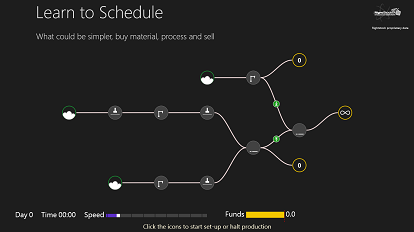
The course content is based upon a process of self exploration
and thus develops a deeper understanding from within.
The participants are invited to attempt to schedule
the plant using their own experience, intuition and
the lessons taught as the simulations proceed. The results
are recorded by the presenter, the specific points addressed
by that simulation discussed, an improved strategy agreed
and the participants perform the same simulation a second
time. Their performance is then compared with the earlier
result and lessons learned discussed.
The process is a cumulative one. The lessons learned
at each stage build to a complete understanding of the
scheduling environment.
Download The Tutors Console from the Windows App Store
Coming soon
RightStock

Learn To Schedule contains RightStock copyrighted materials
Brought to you by:
Visual Software Systems

VSSL provides software architect consultancy specialising in supply chain related areas and custom application development
DBO Services

DBO Services offer forecasting and scheduling products from the RightStock suite and consultancy advice across a range of planning and scheduling areas
Acknowledgements
Hosted by Web Wiz
Web site and graphic design by Vy Phan